Image Compressor Online
Target exact file sizes (20KB–1MB) or use visual quality presets for JPEG, PNG, and WebP. 100% private in-browser optimization with batch processing up to 25 images.
Drop images here to compress
PNG, JPEG, WebP or HEIC · Up to 25 files · 100% private in your browser
Processed locally in your browser. Never uploaded.
Fast, Private Browser Image Compression for Web & Mobile
Smart perceptual compression running directly on your local processor
Heavy images are the primary cause of slow website speeds, high mobile bandwidth consumption, and rejected email attachments. Modern digital creators and web developers need aggressive file size reduction without having their original photography or sensitive graphics transmitted to remote cloud services.
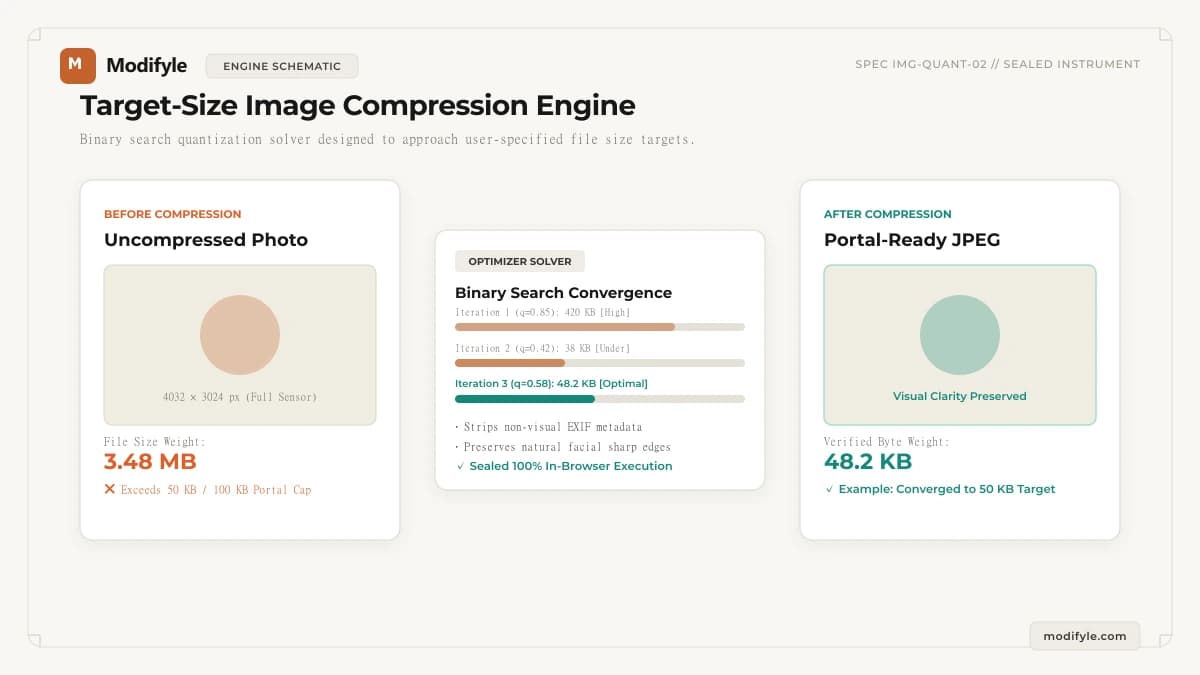
Modifyle runs high-efficiency image compression entirely inside your browser window. You can choose between two flexible modes: Quality Presets (Light ~85%, Medium ~65%, or Heavy ~40%) for balanced visual compression, or Target Size mode where you specify an exact file ceiling like 100 KB, 200 KB, or 1 MB. In Target Size mode, the compressor iteratively adjusts quantization and scaling to approach your desired limit.
Use our adjustable quality controls and max-dimension bounds to tailor output for web hero banners, social avatars, or portal uploads, and inspect the changes in real-time with our interactive before/after split slider.
What Can You Use This Tool For?
Real-world problems solved and intended workflows for this tool.
Optimizing Web Images for Google Core Web Vitals
Compress hero banners and blog illustrations by 60% to 80% without noticeable visual degradation to improve Largest Contentful Paint (LCP) scores.
Email Attachment Limit Bypassing
Shrink photographic portfolio proofs or scan attachments so they slip easily under 10 MB or 25 MB corporate email gateway caps.
Online Application Form Size Caps
Reduce certificates, resumes, and photo attachments under strict 100 KB, 200 KB, or 500 KB limits mandated by employer or university portals.
Smartphone & Cloud Storage Free-Up
Batch compress bulky smartphone camera backups before archiving to Google Drive or Dropbox.
How It Works in 3 Simple Steps
Upload Image
Select any PNG, JPEG, or WebP image up to 50MB.
Choose Mode & Target
Select Quality Presets (Light, Medium, Heavy) or enter a Target Size (e.g. 100 KB or 1 MB) to match upload limits.
Compare & Download
Slide between original and compressed views, inspect byte savings, and save your optimized image instantly.
- Lossy compression (JPEG, lossy WebP) permanently discards subtle high-frequency color information. For archival master copies, retain original uncompressed camera raw/PNG files.
Why choose Modifyle Image Compressor?
Launch PDF, image, and QR tools in 1 click right from your home screen or desktop dock. 100% private, client-side, with full offline capability without internet.
Step-by-Step Technical Guides
All guidesComplete workflow for meeting strict 20 KB, 50 KB, and 100 KB exam portal upload caps.
Understand the difference between pixel resolution and storage weight.
Learn how perceptual quantization and WebP achieve maximum compression without blur.
Combine pixel scaling with compression for perfect form submission.
Related Workshop Tools
Frequently paired utilitiesCrop photo or signature framing first before resizing.
Scale width and height in pixels to meet exact portal requirements.
Convert iPhone HEIC photos to standard JPEG before compressing.
Dedicated target workflow for 100 KB upload limits.
Dedicated target workflow for 50 KB portal caps.
Strict upload caps for signatures and thumbnail photos.
Convert between WebP, PNG, and JPEG with one click.