Convert PNG to PDF
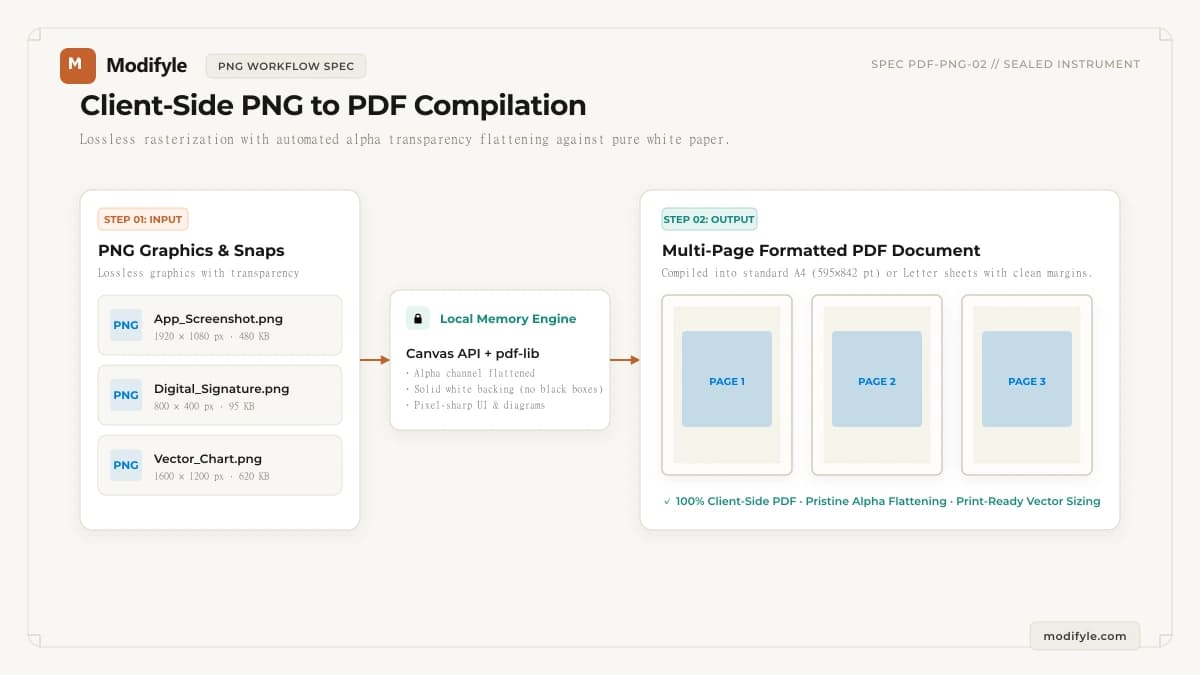
Convert PNG images, screenshots, charts, and graphics into a high-resolution PDF document with transparent background flattening.
Select PNG images to convert
PNG images — each becomes one page
Processed locally in your browser. Never uploaded.
Turn Screenshots, Diagrams, and Transparent Graphics into Crisp PDFs
Lossless PNG rasterization with automated alpha transparency handling
PNG is the preferred format for computer screenshots, software mockups, technical diagrams, and digital signatures due to its pixel-perfect lossless compression and alpha channel transparency. However, sharing PNGs individually can be unwieldy when compiling multi-page reports or official submissions.
Modifyle flattens PNG transparency against a pure white document sheet, ensuring signatures, transparent logos, and dark UI screenshots look pristine without awkward black box rendering artifacts.
Select Fit to Image to preserve native screen resolutions, or choose standard A4 or US Letter paper dimensions with border margins for clean office printing and email distribution.
What Can You Use This Tool For?
Real-world problems solved and intended workflows for this tool.
Confidential Legal & Financial Document Workflow
Process agreements, tax filings, and statements with Convert PNG to PDF directly in device memory without external server risk.
Official Government & University Document Submission
Prepare application packets using Convert PNG to PDF to satisfy strict institutional upload criteria.
Multi-Document Assembly & Archival Preparation
Organize client deliverables, audits, and reports with clean page indexing and layout consistency.
Optimized Distribution for Mobile & Email
Format documents with Convert PNG to PDF so attachments send quickly and open smoothly on all screen sizes.
How It Works in 3 Simple Steps
Select PNG Files
Upload one or more PNG screenshots, illustrations, or graphics from your device.
Set Document Dimensions
Choose Fit to Image for native proportions, or select standard A4 or US Letter sheets.
Download Print-Ready PDF
Click Convert to compile the document locally and save your PDF in seconds.
- Processing executes locally in browser memory. Large files depend on available device RAM and CPU capacity.
Why choose Modifyle PNG to PDF Converter?
Launch PDF, image, and QR tools in 1 click right from your home screen or desktop dock. 100% private, client-side, with full offline capability without internet.
Step-by-Step Technical Guides
All guidesCompare lossy JPEG and lossless PNG formats for official document submissions.
Scale and compress images before combining them into application PDFs.
Techniques to optimize multi-page graphic PDFs for email and portal uploads.